Webmaster level: All
Update 2014 Jan: We've expanded our support for this easier domain verification to many more domain name providers:
- Afrihost
- Domainmonster.com
- Gandi.net
- GMO
- Heart Internet
- Hover
- LCN.com
- Name.com
- TransIP.eu
- Wix
Today we’re announcing a new initiative that makes it easier for users to verify domains for Google services like
Webmaster Tools and
Google Apps.
First, some background on this initiative. To use certain Google services with your website or domain, you currently have to
verify that you
own the site or domain, since these services can share sensitive data (like
search queries) or operate Internet-facing services (like
hosted email) on your behalf.
One of our supported verification methods is domain verification. Currently this method requires a user to manually create a
DNS TXT record to prove their ownership. For many users, this can be challenging and difficult to do.
So now, in collaboration with
Go Daddy and
eNom, we’re introducing a simple, automated solution for domain verification that guides you through the process in a few easy steps.
If your domain name records are managed by eNom or Go Daddy, in the Google site verification interface you will see a new, easier verification method as shown below.
Selecting this method launches a pop-up window that asks you to log in to the provider using your existing account with them.
The first time you log in, you’ll be asked to authorize the provider to access the Google site verification service on your behalf.
Next you’ll be asked to confirm that you wish to verify the domain.
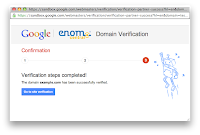
And that’s it! After a few seconds, your domain should be automatically verified and a confirmation message displayed.
Now eNom and Go Daddy customers can more quickly and easily verify their domains to use with Google services like Webmaster Tools and Google Apps.
We’re also happy to share that
Bluehost customers will be able to enjoy the same capability in the near future. And we look forward to working with more partners to bring easier domain verification to even more users. (Interested parties can contact us via
this form.)
If you have any questions or feedback, as always please let us know via our
webmaster help forum.
Posted by Anthony Chavez, Product Manager